
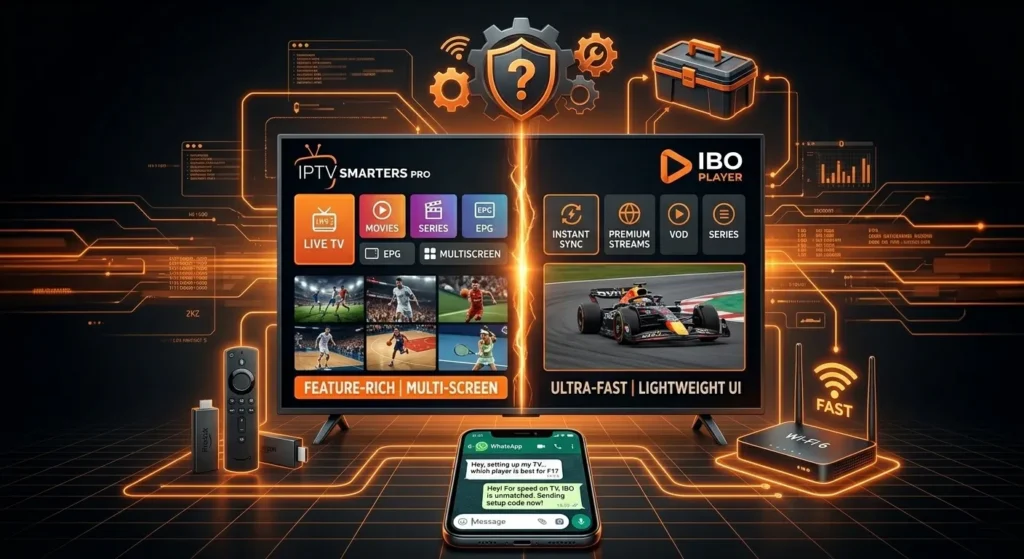
IPTV Smarters Pro is arguably the most widely recognized media engine globally. It is an all-in-one powerhouse that functions beautifully across Android TV, Firestick, iOS, and Windows platforms.
The Pros:
- Advanced Content Sorting: It splits your service into distinct master blocks: Live TV, Movies, Series, and Catch-up.
- Multi-Screen Support: The app natively allows you to split your TV display into 2 or 4 screens at the same time—perfect for monitoring multiple live sporting events simultaneously.
- Completely Free to Use: While a premium version exists to remove ads, the core version costs nothing to load and operate permanently.
The Cons:
- Resource Intensive: Because of its heavy, graphic-rich layout data, it can lag on older smart TVs or low-tier Android boxes.
- Slower Initial Sync: Loading a massive 20,000+ channel layout directory can take a few minutes during the initial cache sync.
IBO Player: The Ultra-Fast, Lightweight Contender
IBO Player was built with a single objective in mind: absolute speed. It has quickly risen to become the preferred option for built-in Smart TV environments (like Samsung Tizen OS and LG WebOS) where processing memory is strictly limited.
The Pros:
- Exceptional Loading Performance: IBO Player uses highly optimized coding that reads server M3U strings and Xtream APIs instantly. Channel switching is noticeably crisper with zero interface lag.
- Streamlined Smart TV Deployment: It does not require typing complex URLs with a clumsy TV remote control. It generates a simple MAC Address on your screen, allowing you to link your channel list remotely via an online web portal.
- Clean, Modern UI: The interface is sleek, minimalist, and very easy for non-technical users or family members to navigate.
The Cons:
- Paid Activation model: Unlike Smarters, IBO Player only offers a free 7-day trial. Once expired, it requires a small activation fee (roughly $6 to $10 for a lifetime license) to unlock the app permanently.
Feature Comparison Matrix
| Core Feature | IPTV Smarters Pro | IBO Player |
| Primary Advantage | Deep features & multi-screen | Fast channel zapping & light UI |
| Initial Loading Speed | Moderate | Ultra-Fast |
| Best Suited For | Firestick, Android Box, Mobile | Samsung TV, LG TV, Apple TV |
| Cost | Free (Ad-supported) | 7-Day Trial, then Paid License |
| Setup Route | Manual credential entry | Remote Web Portal via Device MAC |
The Verdict: Which One Should You Install?
- Choose IPTV Smarters Pro if: You are streaming on an Amazon Firestick or an Android Box, want advanced multi-screen layouts, and prefer a completely free app that supports extensive customization options.
- Choose IBO Player if: You are running your service directly on a Samsung or LG Smart TV app store. The massive boost in loading speeds, effortless remote MAC activation, and lag-free menu navigation make the tiny one-time activation fee well worth the investment.
A Critical Reminder for All Streamers
Remember, a premium media player is only as stable as the engine driving it. Whether you select the deep feature set of Smarters Pro or the blazing-fast navigation of IBO Player, you still require a stable, high-capacity backend line to prevent freezing during high-traffic broadcast events.
Our high-speed streaming infrastructure integrates seamlessly with both platforms via Xtream Codes API or custom MAC deployment.
